Technology
The devices your AI runs on
The hardware is part of the solution, not the offer: which device it turns out to be follows from how you work, not the other way round. This page shows what actually arrives — the device itself, its expansion stages and the two classes we distinguish between.
The device
No server room. A case about the size of a book.
The entire AI — language models, applications, your knowledge base — runs on one compact computer that fits beside the files.
Fits anywhere
A sideboard, a shelf or the filing cabinet will do.
Stays quiet
Barely audible in operation — it can stand in the room where people work.
Arrives ready to run
Operating system, language models and applications are preinstalled. We set up the connection to your documents together — on site or by video call, in Austria and Germany.
Fits into what you already run
The device joins your network and works where your documents already are. Storage, folder structure and shares stay as they are.
The devices
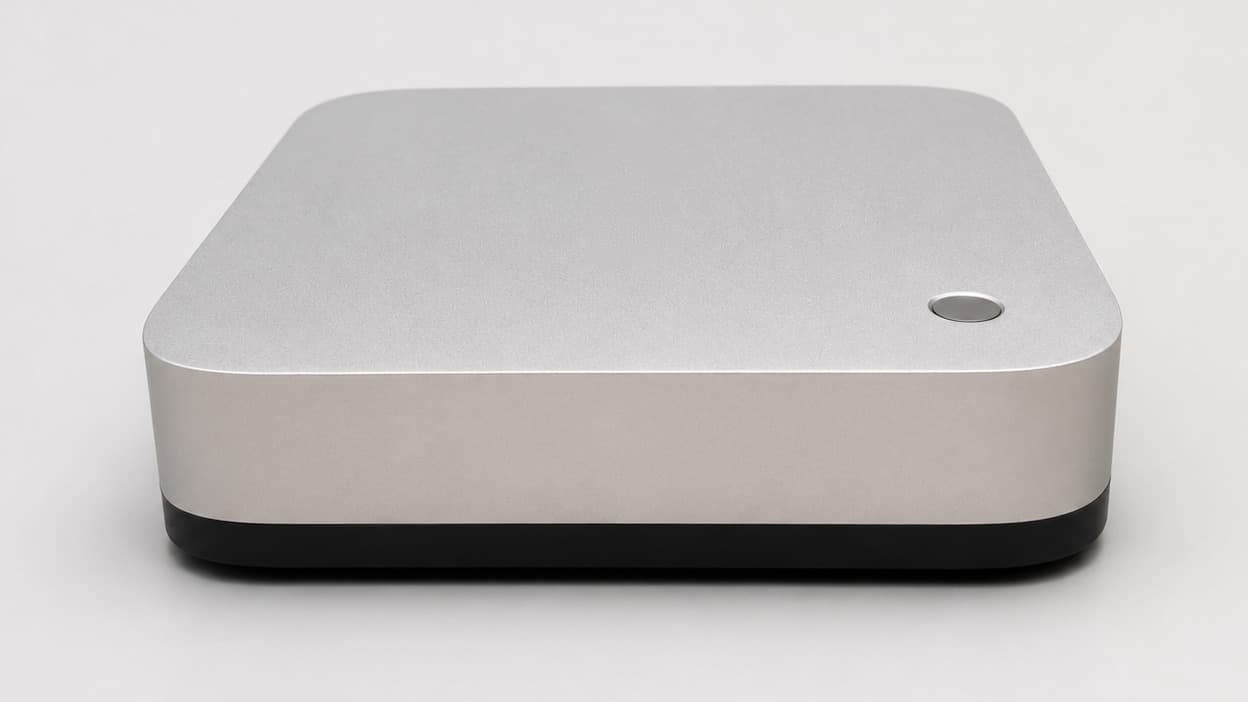
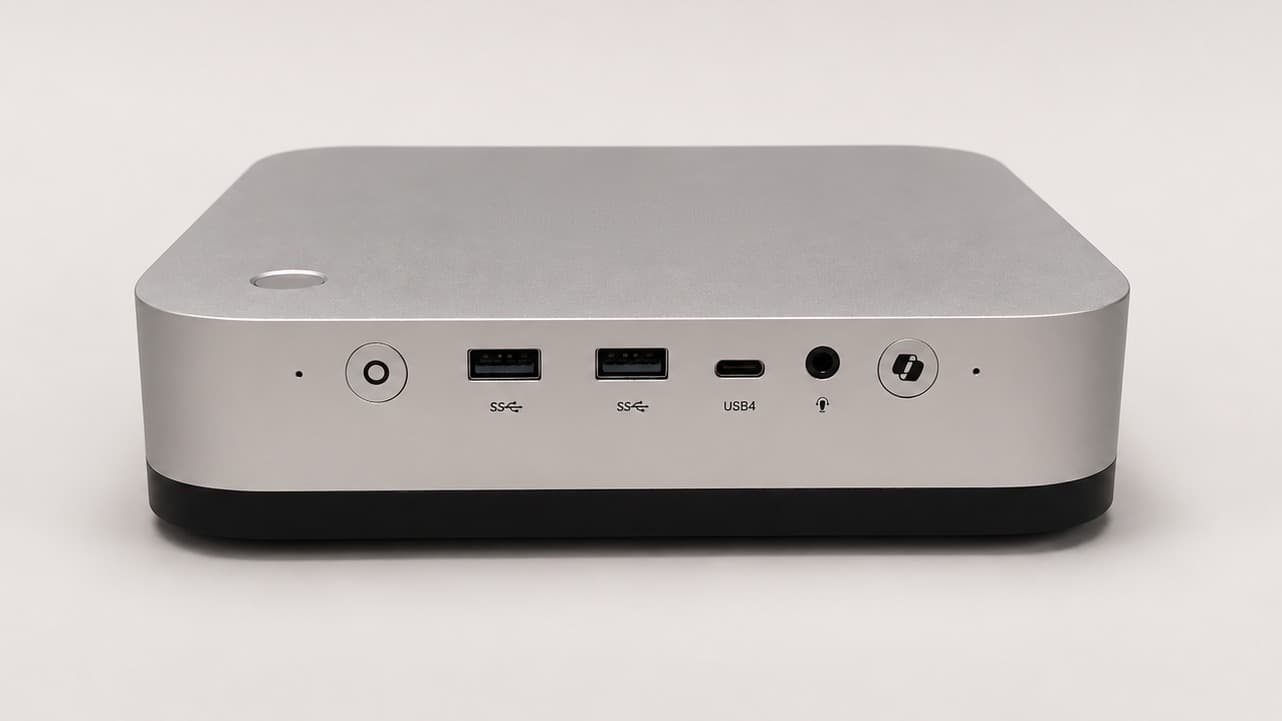
Entry class · Stage 1
Compact device
The device we start with: a flat aluminium case that fits on a shelf.
Technical data
- Concurrent users
- 2 to 3
- Compute cores
- 12 cores, 24 threads, up to 5.2 GHz
- Storage
- 1 TB SSD, expandable to 12 TB across three slots
- Network
- 2 × 2.5 Gigabit LAN, Wi-Fi 7, Bluetooth 5.4
- Ports
- USB4, USB-A, DisplayPort, HDMI, OCuLink
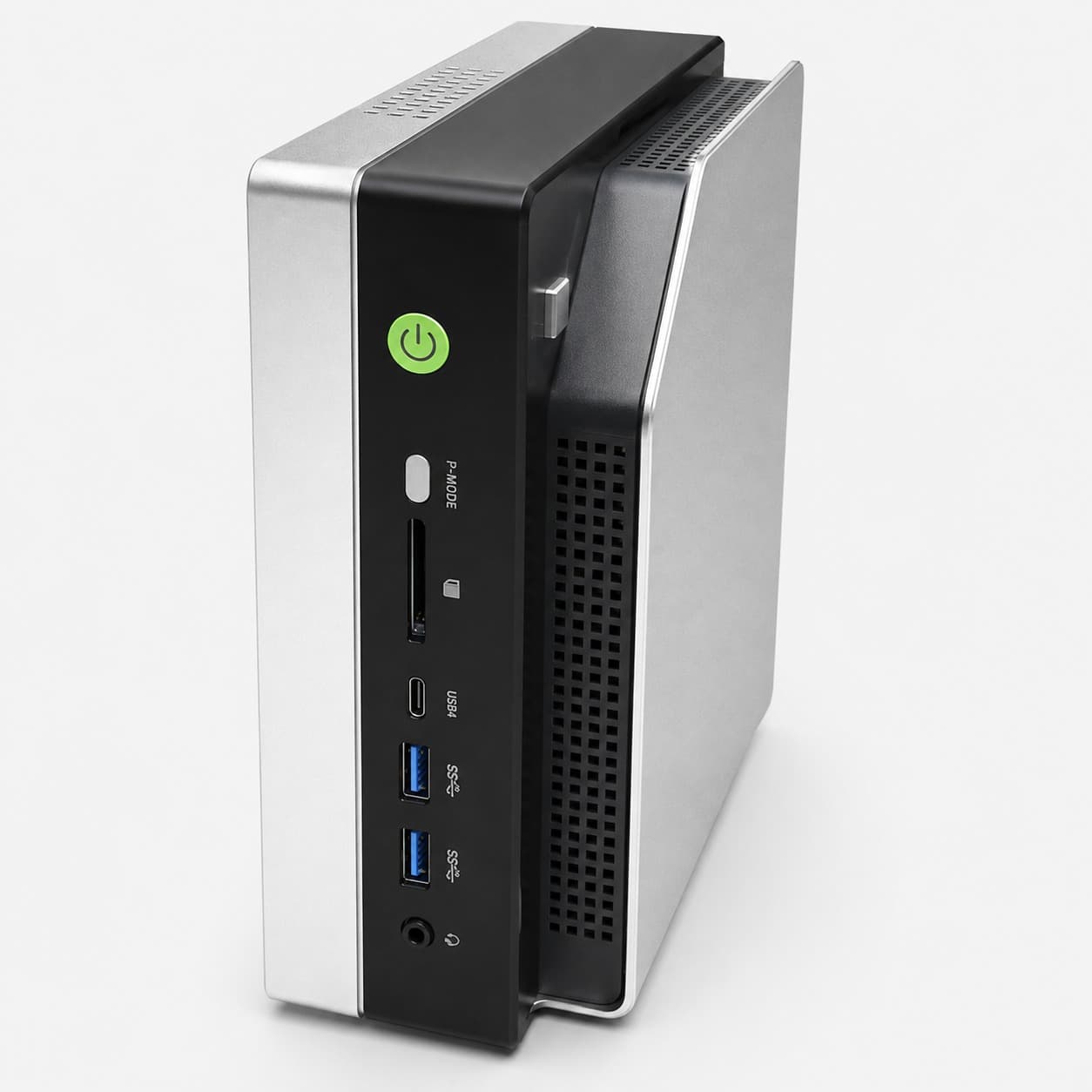
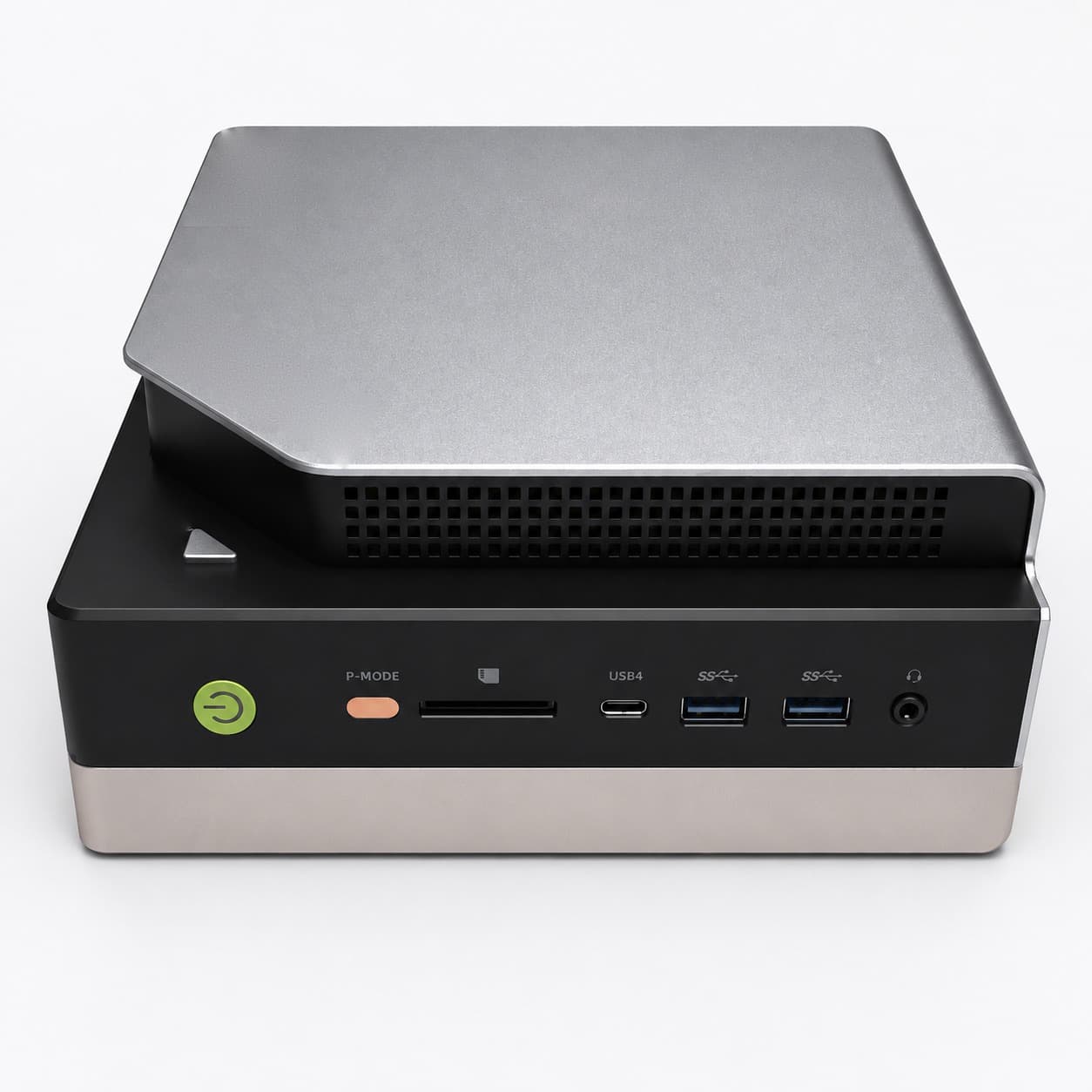
Performance class · Stage 2
Compact device for several workstations
The same idea, more compute: a case with a raised metal plate and open cooling, run upright or lying flat.
Technical data
- Concurrent users
- about 6
- Compute cores
- 16 cores, 32 threads, up to 5.1 GHz
- Network
- 2.5 Gigabit LAN, Wi-Fi 7, Bluetooth 5.4
- Ports
- two USB4, USB-A, DisplayPort, HDMI
Integration
Not simply plugged into the network.
Before go-live we clarify which systems may be reached, which users have access, how administrative access is secured, whether external connections are required, and how backup, updates and recovery are organised.
This way the AI system is integrated into your existing IT in a controlled manner rather than merely connected to it.
The way into your IT
Architecture
Which data, which systems, which access — defined before anything is connected.
Integration
Connection to file storage, applications and user management, coordinated with your IT.
Hardening
Roles and rights, secured administrative access, network boundaries, backup.
Documentation
Architecture, data flows, components and agreed measures, in writing.
Operation
Tested updates, function checks, documentation kept up to date.
Two classes
The size of your practice is not the question
What matters is how much the AI has to survey at once — and if the smaller class is enough, the smaller one is what we recommend.
01
Entry class
For teams whose day consists of individual documents: read, summarise, answer, file.
- Summarise contracts, medical findings or pleadings on a single page
- Prepare draft replies for emails and letters
- Take notes in meetings and produce minutes
- Handle recurring routines in the background
This is where the class ends: at questions put to the entire case or document archive. Those are the job of the performance class.
02
Performance class
For practices that want to question their entire archive and serve several members of staff at the same time.
- Make the complete case and document archive searchable
- Work through very extensive material in a single pass
- Serve several workstations in parallel
- Run dedicated assistants per department or task
There is no larger class. Where these devices reach their limit, we plan several — not a bigger one.
The dividing line is simple: if the AI has to hold your whole archive in view at once, or serve several members of staff in parallel, you need the performance class. For everything else the smaller device is enough.
Services by classA conversation, not a sales call.
We look at how you work today and work out whether local AI suits your practice. If it does not, we say so — you save weeks of research.
Or simply call: +43 681 10138168